

Claude Cowork is an AI assistant designed to handle recruitment tasks efficiently. It automates repetitive processes like organizing resumes, creating spreadsheets, and drafting outreach messages. Unlike basic AI tools, Cowork can execute multi-step workflows directly on your device, ensuring data security. Here’s what you need to know:
- Key Features: Processes resumes, generates Excel sheets, drafts personalized messages, and integrates with local files.
- Data Security: Operates in a secure virtual machine, keeping sensitive files local.
- Pricing: Available for macOS and Windows at $20/month.
- Setup: Download the Claude Desktop app, switch to "Cowork" mode, and configure settings for recruitment tasks.
- Limitations: While Cowork streamlines tasks, engaging developers in the age of AI requires a different approach.
For better outreach, consider pairing Cowork with daily.dev Recruiter, a platform where developers actively engage. Unlike LinkedIn or email, it offers warm, double opt-in introductions, leading to higher response rates (30–45%). Together, these tools simplify recruitment logistics and improve candidate engagement.
What Claude Cowork Does for Recruiters
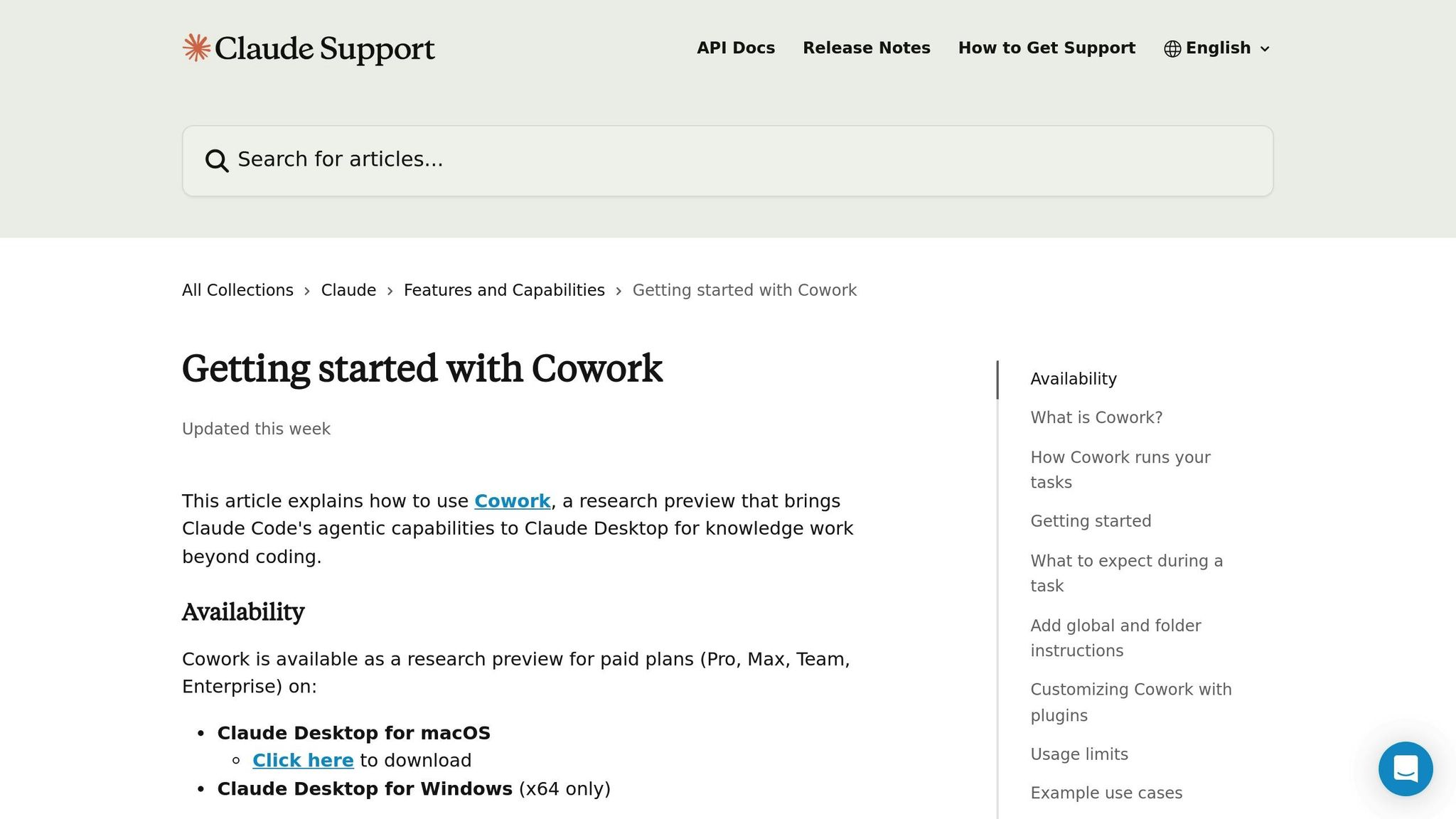
Claude Cowork takes the hassle out of repetitive recruiting tasks by handling multi-step workflows like organizing resumes, generating spreadsheets, and processing documents - all directly on your device. Instead of managing one task at a time, you simply specify the end goal, and Cowork takes care of the rest, letting you focus on more strategic recruiting efforts.
Using the familiar Claude chat interface, Cowork integrates seamlessly with your local files. It can read, edit, create, and rename documents within designated folders without requiring manual uploads or downloads. It also navigates websites, extracts candidate details from LinkedIn profiles, and fills out forms, all while keeping your data stored locally. Let’s dive into how Cowork simplifies candidate research and transforms raw data into actionable insights.
automating candidate research and data management
Cowork shines when it comes to organizing candidate data into clear, actionable formats. For example, you can direct it to a folder of PDF resumes, and it will pull out key details - like skills, experience, and contact information - then compile them into a well-structured Excel spreadsheet with working formulas. In one test, Cowork processed 40 PDF files, reducing their combined size by 25.5%, saving 63.7 MB in the process, effectively reducing time to hire .
For more complex tasks, Cowork can coordinate multiple sub-agents to work simultaneously, allowing you to gather and consolidate data on dozens of candidates from various sources into a single report. It also features a Sales plugin designed to automate prospect research and streamline candidate tracking within your hiring pipeline.
With Claude Opus 4.6 powering it, Cowork leverages a 1-million-token context window , enabling it to handle tasks that involve reviewing extensive documentation or comparing large datasets. To get the most out of this tool, batch related tasks - like processing resumes from a specific job posting - into one session, as Cowork uses more resources than standard chat functions. Once the data is organized, Cowork can even craft tailored outreach messages to help you connect with candidates more effectively.
Creating Personalized Messages with AI
Cowork doesn’t just organize data - it uses it to create personalized outreach messages tailored to each candidate’s background. By analyzing a candidate’s recent LinkedIn activity - such as posts, comments, or shared content - Cowork can identify key pain points or conversation starters. Recruiters using Cowork for LinkedIn outreach have reported a 63% boost in lead generation speed and a 2.8x increase in response rates .
You can set Global Instructions to ensure all messages maintain a consistent tone and professional style across your campaigns. For more specific needs, Folder Instructions allow you to define context for particular roles or hiring projects. Cowork can even deliver these personalized messages in formatted Word documents or PDFs, ready to send.
These capabilities free you to connect with developers and candidates in meaningful ways, focusing on engagement rather than logistics.
"Cowork is a worker, not a chatbot. Delegate outcomes, step away, come back to finished files." - Arman Hezarkhani, CEO, Tenex
Hiring engineers?
Connect with developers where they actually hang out. No cold outreach, just real conversations.
Getting Started with Claude Cowork
Setting Up Your Account
To begin, download and install the Claude Desktop app from claude.ai/download. It's available for macOS 11+ and Windows x64 systems. On macOS, simply drag the app into your Applications folder. For Windows, run the installer to complete the setup . Keep in mind, this app is not accessible via web browsers or mobile devices.
A paid subscription is required to use Claude Cowork . Once you're signed in, switch from "Chat" to "Cowork" mode using the selector at the top of the app. This unlocks the autonomous agent features.
"Cowork is available for Pro ($20/mo), Max, Team, and Enterprise plan subscribers using the Claude Desktop app on macOS or Windows." – Anthropic
Once your account is ready, you can configure the app to simplify and enhance your recruitment workflow.
Configuring Features for Recruitment
After activating your account, you can customize Claude Cowork to optimize your recruitment tasks. Start by navigating to Settings > Cowork. Here, you can set Global Instructions to define how the assistant operates. For example, you could specify: "Draft professional candidate outreach emails in a conversational tone" or "Format all candidate summaries into a three-column Excel table." These instructions apply universally, saving you from repeating them for every task.
To keep things organized, create a dedicated folder for recruitment projects, such as "Candidate_Sourcing_2026." Restrict Claude’s file access to this folder to ensure other files remain private while maintaining a clear structure for your hiring efforts. You can also add Folder Instructions tailored to specific roles, like highlighting the technical skills required for a Senior DevOps position. This helps Claude understand the nuances of each search.
For added functionality, install plugins from the Cowork sidebar. The Sales plugin can assist with prospect research and tracking candidates, while the Productivity plugin helps manage interview schedules and workflow tasks. If you need Claude to integrate with tools like Gmail, Notion, or Slack, enable the Model Context Protocol (MCP) connectors in the settings panel. Lastly, disable sleep mode during extended tasks to avoid session interruptions.
The Real Problem with Developer Recruitment
::: @figure 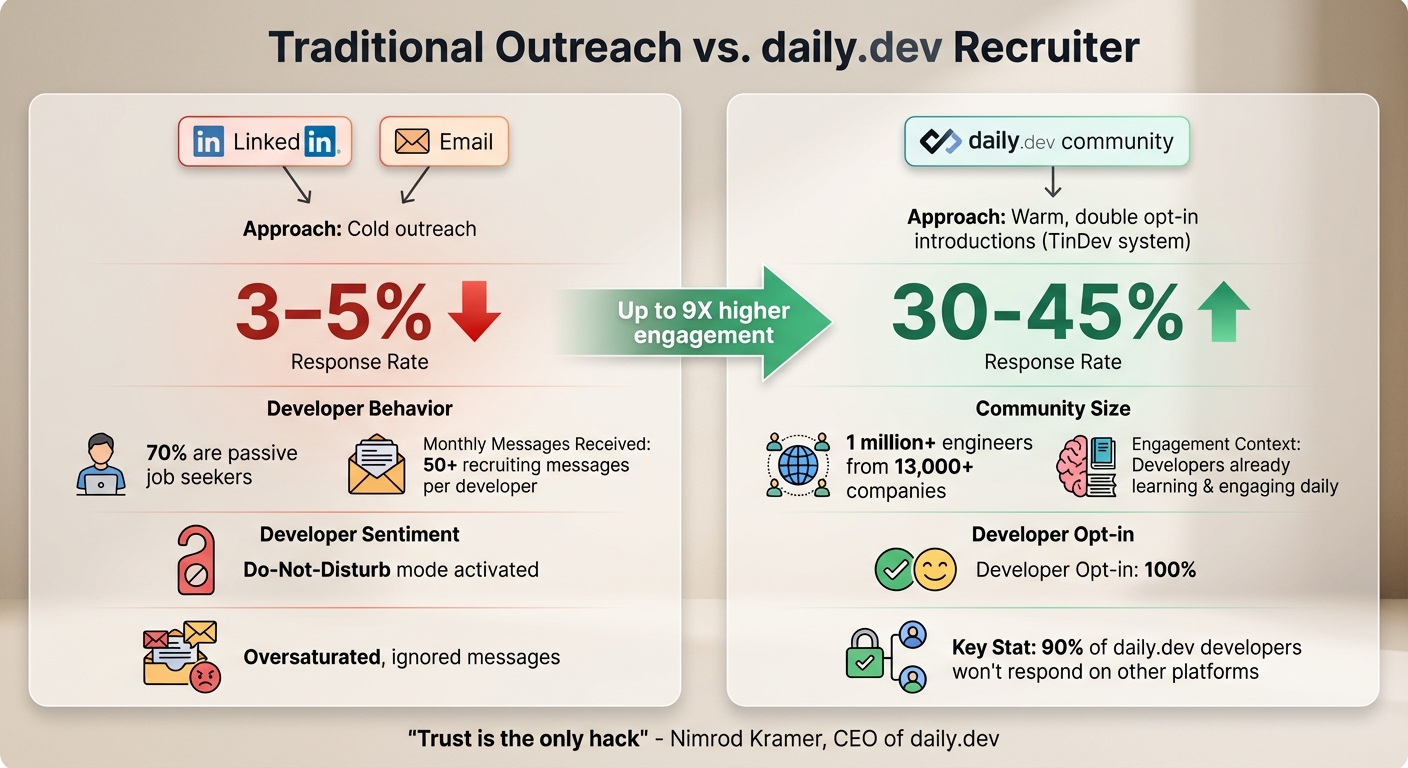 {Traditional Outreach vs daily.dev Recruiter: Developer Response Rates Comparison}
Why LinkedIn and Email Outreach Falls Short
Finding skilled developers has never been the hardest part. With tools like LinkedIn, GitHub, or paid access to candidate databases, generating a list of potential candidates is relatively simple. The real challenge is getting those developers to respond.
Top-tier developers on developer networks are inundated with recruiting messages - often receiving more than 50 each month. Yet, cold InMails typically see response rates of just 3-5%. On top of that, 70% of developers are passive job seekers, content in their current roles and only willing to consider truly outstanding opportunities . When your outreach looks just like everyone else’s, it risks being ignored entirely. Developers, overwhelmed by the constant noise, have essentially flipped on their "Do-Not-Disturb mode" , tuning out traditional recruiting efforts.
Even automation tools, designed to scale personalized messaging, have backfired. When every recruiter can “personalize at scale,” the messages lose their uniqueness. Instead of standing out, they contribute to the oversaturation that has caused developers to disengage. While tools like Claude Cowork can streamline data and messaging, capturing developers' attention requires more than automation - it demands a completely different approach.
Finding a Different Way to Connect
Since traditional platforms often fail to generate meaningful engagement, recruiters need a fresh strategy. That’s where daily.dev Recruiter steps in to change the game.
Rather than chasing developers on LinkedIn or email, daily.dev Recruiter connects with them through a platform they already use daily for professional growth. Developers visit daily.dev to read technical articles, stay updated on their tech stack, and interact with their community. It’s seamlessly integrated into their daily workflow, unlike platforms they actively avoid.
The difference boils down to trust and context. Nimrod Kramer, CEO & Co-Founder of daily.dev, explains it best:
"We built a place where engineers can turn off the noise. To enter this space, you don't need a hack. You need trust."
On daily.dev Recruiter, every introduction is warm and double opt-in . Developers can review roles at their convenience and only engage if they’re genuinely interested. Instead of interrupting their day, you’re presenting opportunities in a trusted environment.
This approach flips the script on traditional recruiting. Instead of cold outreach with a meager 3-5% response rate, you’re interacting with developers who have already shown interest. An incredible 90% of developers on daily.dev say they won’t respond to outreach on any other platform . That means you’re tapping into a talent pool that’s unreachable through conventional methods. While tools like Claude Cowork can still help manage candidate data, daily.dev Recruiter solves the real issue: getting developers to engage. By meeting developers where they already are, this strategy sets your outreach apart and delivers results that traditional channels simply can’t match.
Using daily.dev Recruiter with Claude Cowork
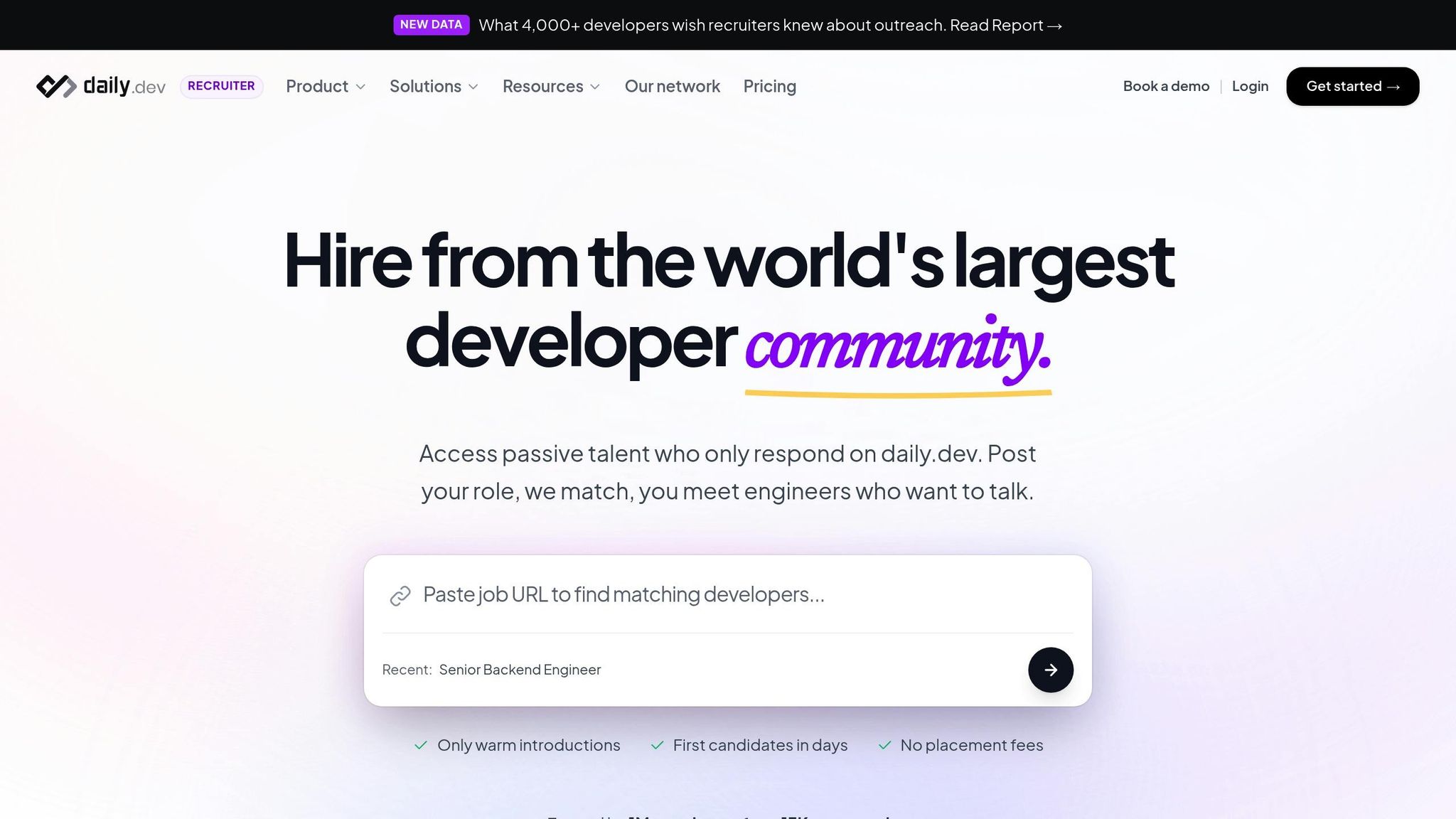
Connecting with Developers on Their Platform
Claude Cowork simplifies candidate research, and daily.dev Recruiter takes it a step further by helping you connect with developers where they naturally engage. Instead of competing for attention on crowded platforms like LinkedIn or email, you can reach developers within the daily.dev community - a space where over 1 million engineers from more than 13,000 companies spend their time exploring technical content, tracking their tools, and advancing their skills . This creates a unique opportunity to integrate your job postings into their daily routine. As Nimrod Kramer, CEO & Co-Founder of daily.dev, puts it:
"LinkedIn is a database of resumes. daily.dev is a living community. You meet engineers where they learn, not where they look for jobs" .
This method addresses recruitment challenges by engaging passive developers in their professional environment. Instead of relying on outdated resume keywords, the platform matches candidates based on their current activities - what they’re reading, building, and learning . By combining efficient data management with authentic engagement, you can move beyond traditional outreach methods.
Getting Better Response Rates with Warm Introductions
daily.dev Recruiter enhances candidate interactions by building on the streamlined research process. The platform uses a double opt-in system called "TinDev", ensuring that both you and the developer express mutual interest before any conversation begins . This eliminates the need for cold outreach, as every introduction is based on consent and interest, with 100% developer opt-in.
This approach delivers outstanding results, with response rates between 30–45% - a significant improvement over the typical 3–5% response rate for cold LinkedIn InMail. To further refine the process, you can include up to three custom screening questions to confirm technical compatibility before connecting . Once a developer opts in, their details are seamlessly transferred to your ATS through integrations with tools like Greenhouse, Lever, and Ashby . Claude Cowork complements this by organizing candidate data within your existing systems . Together, these tools transform your outreach into meaningful, high-intent connections.
Conclusion
Claude Cowork simplifies managing candidate data, drafts messages, and handles repetitive tasks. But here’s the thing: finding developer profiles has never been the hardest part. The real hurdle? Understanding why developers ignore recruiters is the first step to improving your LinkedIn or email outreach. Response rates in these channels typically sit at a low 3–5% . Adding AI to these methods often just contributes to the noise. To stand out, recruiters need to engage developers in spaces where they’re already active and interested.
That’s where daily.dev Recruiter comes in. It connects you with developers within a trusted community they use every day. With its double opt-in system, every conversation begins with mutual interest, leading to response rates of 30–45% . That’s up to nine times higher engagement. Instead of battling for attention in overcrowded inboxes, you’re connecting with engineers in a space where they’re already learning and engaging.
By combining these tools, you get the best of both worlds: Claude Cowork for organizing candidate data and daily.dev Recruiter for creating meaningful, high-intent connections. This approach builds a recruitment process rooted in trust and genuine interaction. As Nimrod Kramer, CEO of daily.dev, wisely says:
"Trust is the only hack" .
FAQs
What recruiting tasks can Claude Cowork automate end-to-end?
Claude Cowork takes automation to the next level by handling intricate recruiting tasks that go far beyond basic prompts. It’s designed to tackle a wide range of responsibilities, including managing files, processing documents, building spreadsheets, preparing reports, analyzing notes, and executing workflows.
By seamlessly coordinating data across platforms, Claude Cowork eliminates the need for manual effort in tasks like research, outreach, and follow-up. This means recruiters can save a tremendous amount of time and focus on high-value activities, making the entire process smoother and more efficient.
How do I keep candidate data secure when using Claude Cowork?
Protecting candidate data in Claude Cowork requires following some key security practices. Claude runs inside an isolated Linux virtual machine, which strengthens its security framework. To further safeguard sensitive information:
- Limit access to local files: Make sure only essential files are accessible to the platform.
- Restrict internet access: Stick to trusted websites to minimize risks.
- Monitor for unusual activity: Stay vigilant for any suspicious behavior that could indicate a security issue.
Additionally, using trusted Managed Cloud Providers (MCPs) enhances protection, ensuring data stays secure while you take full advantage of Cowork’s features.
How can daily.dev Recruiter improve developer reply rates versus cold outreach?
daily.dev Recruiter enhances your chances of getting responses from developers by connecting you with a trusted, opt-in community. Forget the impersonal nature of cold emails or LinkedIn messages - this platform ensures 100% trust through warm, meaningful introductions.
What sets it apart? Behavioral matching. This feature identifies developers actively involved with the technologies you're hiring for, allowing you to tailor your outreach to their interests. The result? Less noise, more genuine engagement, and a more effective alternative to traditional cold outreach.
.png)


