

Recruiting developers is tough. OpenClaw simplifies it by automating sourcing, evaluating candidates, and even drafting outreach messages. It runs on your local machine, ensuring data security while connecting to tools like Slack or WhatsApp for easy communication. With over 145,000 GitHub stars, it's one of the most popular open-source projects for recruiters.
Key Features:
- Automated Sourcing: Find developers based on skills, location, and GitHub contributions.
- Personalized Outreach: Drafts tailored messages for candidates.
- Secure Local Setup: Runs entirely on your hardware, protecting sensitive data.
- Customizable Skills: Use modular tools for LinkedIn searches, GitHub monitoring, and email campaigns.
- 24/7 Operation: Ideal for dedicated machines like the Apple M4 Mac Mini.
Limitations:
- Cold Outreach Challenges: Developers often ignore mass messages, making engagement difficult.
- Focus on Sourcing: OpenClaw excels at finding talent but struggles with converting passive candidates.
For better engagement, consider platforms like daily.dev Recruiter, which connects with developers on trusted channels, offering higher response rates and meaningful introductions.
Getting Started with OpenClaw
Installing and Configuring OpenClaw
Setting up OpenClaw is straightforward and takes about 15 minutes if you have Node.js v22+ installed. It works on macOS (v14+), Linux (Ubuntu 22.04+), and Windows (best used with WSL2).
To install, run this command:
curl -fsSL https://openclaw.ai/install.sh | bash
Alternatively, you can use npm:
npm install -g openclaw@latest
After installation, launch the setup wizard with:
openclaw onboard --install-daemon
The wizard helps you pick an AI provider, link messaging platforms using a QR code, and assign permissions. If you're focusing on recruitment tasks, Anthropic's Claude 3.5 Sonnet or Opus models are highly recommended. These models excel at processing detailed resume data and are better equipped to handle prompt injection risks. To use these models, you'll need an API key from Anthropic or OpenAI. Costs typically range from $10–$30 per month for light usage, but heavy, continuous monitoring may exceed $100 per month.
When dealing with sensitive candidate data, security is critical. Running OpenClaw in Docker mode provides a secure, sandboxed environment to protect your files. The main configuration file is stored at ~/.openclaw/openclaw.json, while skills and candidate data are saved in ~/.openclaw/workspace.
For uninterrupted, 24/7 sourcing, it's best to use a dedicated machine like the Apple M4 Mac Mini instead of your personal laptop. As Michael Vavilov points out, "The Apple M4 Mac Mini has become the gold standard for hosting OpenClaw instances due to its high performance-per-watt and neural engine capabilities."
Once you've installed and configured OpenClaw, you can move on to customizing its recruiter skills for more focused talent sourcing.
Setting Up Recruiter Skills
OpenClaw uses modular skills, which function like apps, to perform specific tasks. The ClawHub marketplace offers over 5,700 community-built skills, but it's smart to stick to those from verified publishers to ensure reliability.
For recruitment, consider installing the browser skill to navigate platforms like LinkedIn and GitHub, or the recruitment-automation skill to analyze job descriptions and assess candidate profiles. If email outreach is part of your workflow, the cold-email skill can create personalized email sequences. To integrate Gmail and Google Calendar, you can install the gog skill with this command:
npx clawhub@latest install gog
You can also define your agent's personality and behavior in a SOUL.md file. This file allows you to specify roles, set a direct communication style, and establish daily routines, such as a 7:00 AM briefing on new applicants. This level of customization ensures your agent operates more like a dedicated assistant than a generic tool.
For automating repetitive tasks, OpenClaw supports cron jobs. For example, you can schedule a daily task at 9:00 AM to monitor trending React repositories for potential contributors in London with this command:
openclaw cron add --name "github-monitor" --schedule "0 9 * * *" --command "Check trending React repos for new contributors in London"
This setup makes it easy to streamline the monitoring of passive technical candidates and focus on high-priority recruitment efforts.
Using OpenClaw for LinkedIn Sourcing
Searching for Candidates with Natural Language
OpenClaw simplifies LinkedIn sourcing strategy by swapping out complicated Boolean filters for plain English commands. Through messaging apps like WhatsApp, Telegram, or Slack, you can make straightforward requests such as: "Find me Product Managers in London with Fintech experience who have posted about 'Payments' in the last month" . The tool interprets your intent and performs the search using semantic reasoning, powered by models like Anthropic's Claude 3.5 Sonnet. This means it goes beyond simple keyword matches - for example, it understands that "Next.js" is relevant when looking for React developers.
Once it identifies matching profiles, OpenClaw extracts key sections into local markdown files. It even cross-references these profiles with other sources like GitHub or personal blogs to provide additional context . This process not only saves time but also ensures you're working with richer, more relevant candidate data.
Automating Outreach with Batch Processing
After sourcing candidates, OpenClaw takes it a step further by automating outreach through batch processing. Using the cold-email skill, you can plan and execute personalized campaigns asynchronously . For example, if you're targeting 50 senior engineers, you can trigger a batch command to create tailored connection requests based on the data from their profiles. To maintain a personal touch, you can set up a human-in-the-loop review system that sends drafts to your WhatsApp for approval before sending them out.
You can export finalized outreach campaigns as CSV or JSON files for easy integration with other platforms . Since OpenClaw automates LinkedIn navigation, it employs stealth browser drivers or a VPS to avoid detection by anti-bot systems . Running the tool on dedicated hardware, like a Mac Mini, ensures it operates smoothly around the clock without interruptions.
The Limitations of OpenClaw
The Problem with Cold Outreach
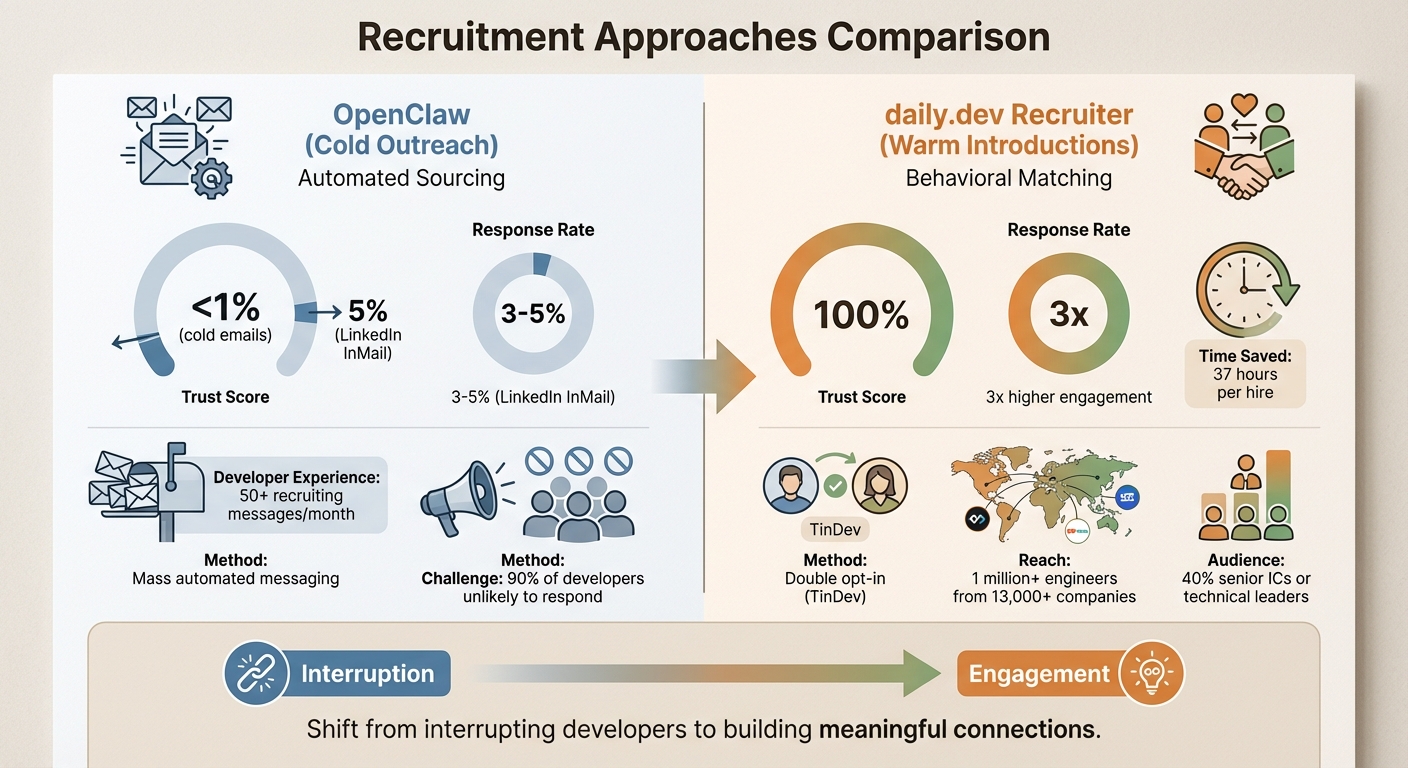
OpenClaw excels at automating mass messaging, but here's the catch: trust levels for cold outreach are dismally low. Cold emails have a trust score of less than 1% among developers, and LinkedIn InMail fares slightly better at just 5% . Add to this the fact that top tech talent already receives over 50 recruiting messages each month , and tools like OpenClaw risk blending into the noise.
"An automation tool can send 100 emails. An autonomous agent like OpenClaw can research 100 candidates... decide which ones are worth contacting, draft personalized outreach... and then send that message... all while the human recruiter sleeps." - Michael Vavilov, Glozo
The challenge? AI-generated messages, even when personalized, often feel transactional to developers. Despite their polished tone, such messages come across as impersonal or mass-produced - essentially spam. Developers are quick to spot outreach crafted at scale, and their typical reaction is to ignore it. Worse, these messages can tarnish your employer brand if perceived as spammy .
Finding Talent Isn't the Real Problem
While OpenClaw simplifies candidate sourcing, the real hurdle lies in sparking interest among passive talent. Sure, OpenClaw can work tirelessly to source candidates, but sourcing has never been the bottleneck. The bigger issue? Getting passive candidates - who make up 70% of the developer workforce - to actually engage. These individuals aren’t actively job hunting, but they might consider the right opportunity. The problem is that everyone is vying for their attention on the same oversaturated platforms: LinkedIn and email.
Using automated outreach across multiple channels only amplifies the recruitment noise. Developers are bombarded with interruptions in spaces where they expect recruiters to reach out, making it even harder to grab their attention. For example, cold LinkedIn InMail typically achieves a response rate of only 3-5% . No amount of AI-driven personalization can fix the fundamental issue: developers see these messages as just another interruption.
While OpenClaw is excellent at identifying potential candidates, true engagement requires stepping outside the usual channels and connecting with developers where they are most active.
A Better Approach: daily.dev Recruiter
Connecting with Developers Where It Matters Most
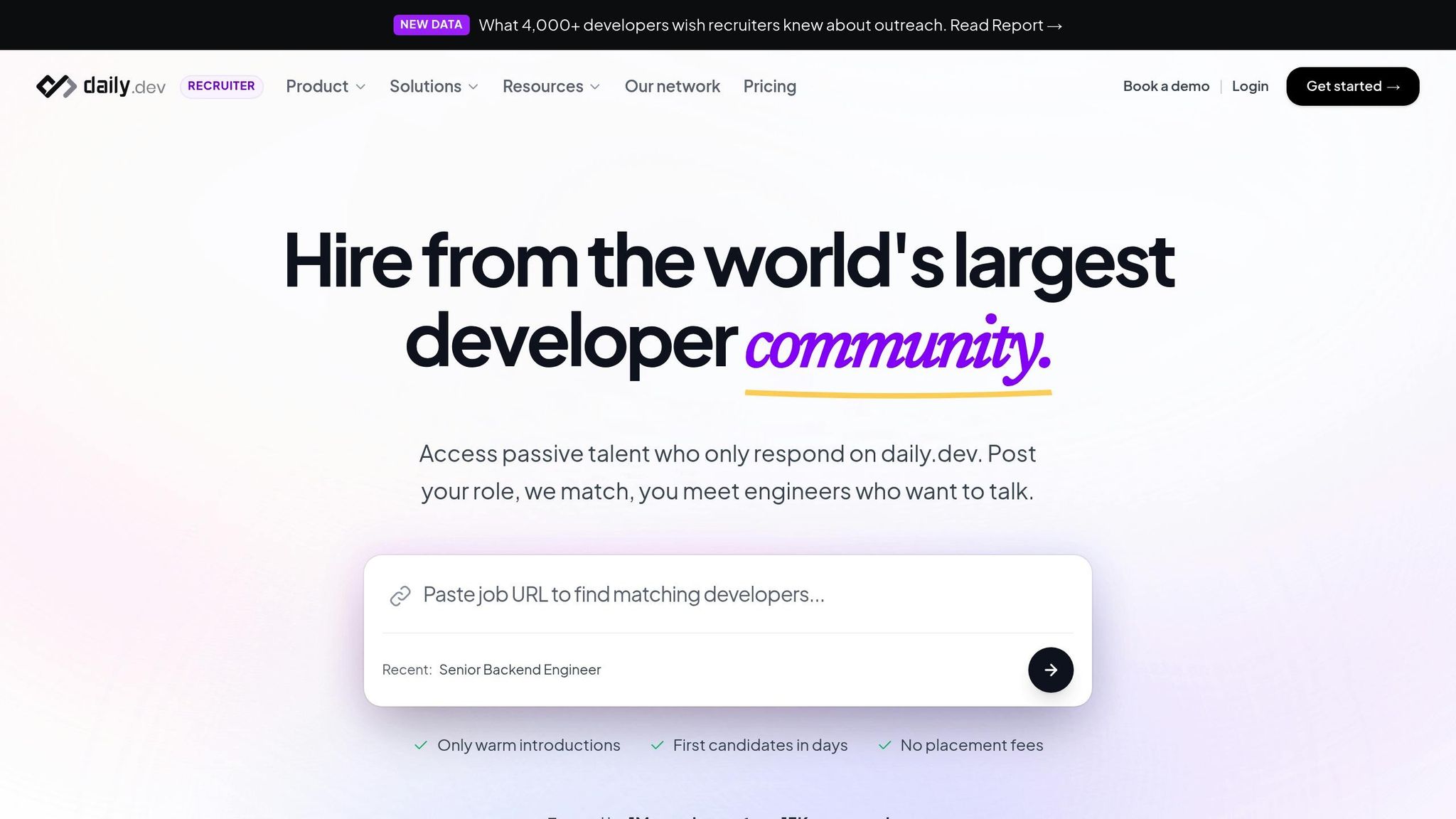
While OpenClaw focuses on automating candidate sourcing through cold outreach, daily.dev Recruiter takes a different path. It meets developers where they naturally spend their time - on daily.dev. This platform serves as the browser homepage for over 1 million engineers from more than 13,000 companies . By embedding job opportunities directly into developers' daily content feeds, it ensures roles are relevant to what they're reading, building, and learning . This approach avoids overcrowded channels and creates a more seamless connection.
Why Warm Introductions Work Better
Instead of relying on mass cold messaging, daily.dev Recruiter uses a double opt-in system called TinDev. Both you and the developer must show interest before any conversation begins . The platform privately presents your role to candidates based on real-time behavioral data, giving them the chance to explore opportunities at their own pace without feeling pressured .
This method builds trust, achieving a 100% trust score compared to less than 1% for cold emails and just 5% for LinkedIn InMail . Recruiters see 3x higher engagement and response rates while saving an average of 37 hours per hire . Every introduction is warm, pre-qualified, and initiated by a developer who is genuinely interested in the opportunity.
From Cold Outreach to Meaningful Connections
daily.dev Recruiter transforms recruitment by replacing outdated methods with targeted, warm interactions. Using Behavioral Matching, the platform identifies developers based on their current interests and activities - what they’re learning or building - rather than relying on old resume keywords or scraped profiles . To ensure a perfect technical fit, you can include up to three custom screening questions before introductions take place .
Once a developer opts in, their profile syncs automatically with your ATS (like Greenhouse, Lever, or Ashby), removing the need for manual data entry . Instead of flooding inboxes with unsolicited messages, this approach fosters genuine conversations within a community where developers are already engaged. It shifts recruitment from being intrusive to being a collaborative and meaningful process.
Conclusion
OpenClaw simplifies LinkedIn searches and batch outreach, but mass cold messaging often falls flat. Scraping profiles and firing off cold messages only adds to the recruitment noise in channels already bursting with activity. With 90% of developers unlikely to respond to these tactics , it's clear that this approach struggles to stand out.
This challenge points to the need for a more personal, trust-based strategy. shifting from cold outreach to warm introductions isn't just about better response rates - it’s about building trust from the very first interaction. Automation may help with sourcing, but genuine engagement thrives on trust. With a 100% trust score, daily.dev Recruiter meets developers where they already spend their time, using a double opt-in system to ensure mutual interest . The results? Three times higher reply rates and an average of 37 hours saved per hire .
By connecting with developers based on their current projects and learning activities, you can attract senior talent who prioritize authentic engagement. Notably, 40% of the daily.dev community consists of senior individual contributors or technical leaders - the very people who often ignore cold InMails but respond when approached in a trusted environment.
This approach highlights the stark contrast between impersonal automation and intentional, meaningful engagement. You can stick with mass cold messaging or differentiate yourself by reaching developers in a space built for genuine connections. As Nimrod Kramer, CEO & Co-Founder of daily.dev, explains:
"We built a place where engineers can turn off the noise. Engineers enter this space driven by trust, not gimmicks" .
Recruitment isn’t about sending more messages - it’s about sending the right message. With daily.dev Recruiter, you can transform introductions into opportunities, setting your outreach apart in a crowded market.
FAQs
What recruiting tasks does OpenClaw automate best?
OpenClaw simplifies recruiting by automating repetitive tasks like candidate sourcing, research, and outreach. It handles email sequences, web searches, and communication efforts, allowing recruiters to save time while maintaining consistent and reliable engagement with potential candidates.
What do I need to set up OpenClaw quickly?
To get OpenClaw up and running quickly, follow these simple steps:
Install OpenClaw globally using this command:
npm install -g openclaw@latestRun the onboarding process by entering:
openclaw onboard
The onboarding wizard will guide you through connecting platforms like LinkedIn or email, setting up your AI model, and configuring your workspace.
System Requirements:
- Node.js: Version 22 or higher
- Operating System: macOS, Linux, or Windows (with WSL2 enabled)
Make sure your system meets these requirements for a smooth setup!
How can I get higher reply rates than LinkedIn or email outreach?
If you’re looking to boost reply rates beyond traditional LinkedIn or email outreach, consider platforms like daily.dev Recruiter. This tool connects you with developers through trust-based, double opt-in introductions within a community they already know and participate in. By reducing outreach noise and building trust, this method encourages higher engagement.
What sets this approach apart is its focus on behavioral data and candidate preferences. By aligning your outreach with what developers care about, you can spark genuine interest and see a noticeable improvement in response rates.
.png)


