

GitHub is a goldmine for hiring developers, with 100 million active users and 330 million repositories showcasing real-world skills. Unlike resumes or LinkedIn profiles, GitHub provides direct insights into coding expertise, collaboration habits, and project activity. 83% of hiring managers trust GitHub profiles over traditional resumes, making it a powerful tool for finding top talent.
Here’s a quick breakdown of how to recruit developers on GitHub:
- Search Effectively: Use advanced search operators (e.g.,
language:python stars:>50) to filter candidates by programming language, activity, and community recognition. - Evaluate Profiles: Focus on consistent contributions, high-quality projects, and meaningful commit messages. Look for metrics like 100+ stars on repositories or 50+ followers.
- Personalized Outreach: Reference specific contributions when contacting developers. Tailored messages can boost response rates by up to 5x.
- Automate with APIs: Use GitHub’s API to streamline sourcing and filter developers based on activity, language, or location.
This guide includes actionable strategies, ready-to-use search queries, and tips for ethical, effective outreach to help you recruit developers faster and more efficiently.
How to Find Developers on GitHub: A 5-Minute Workflow
::: @figure 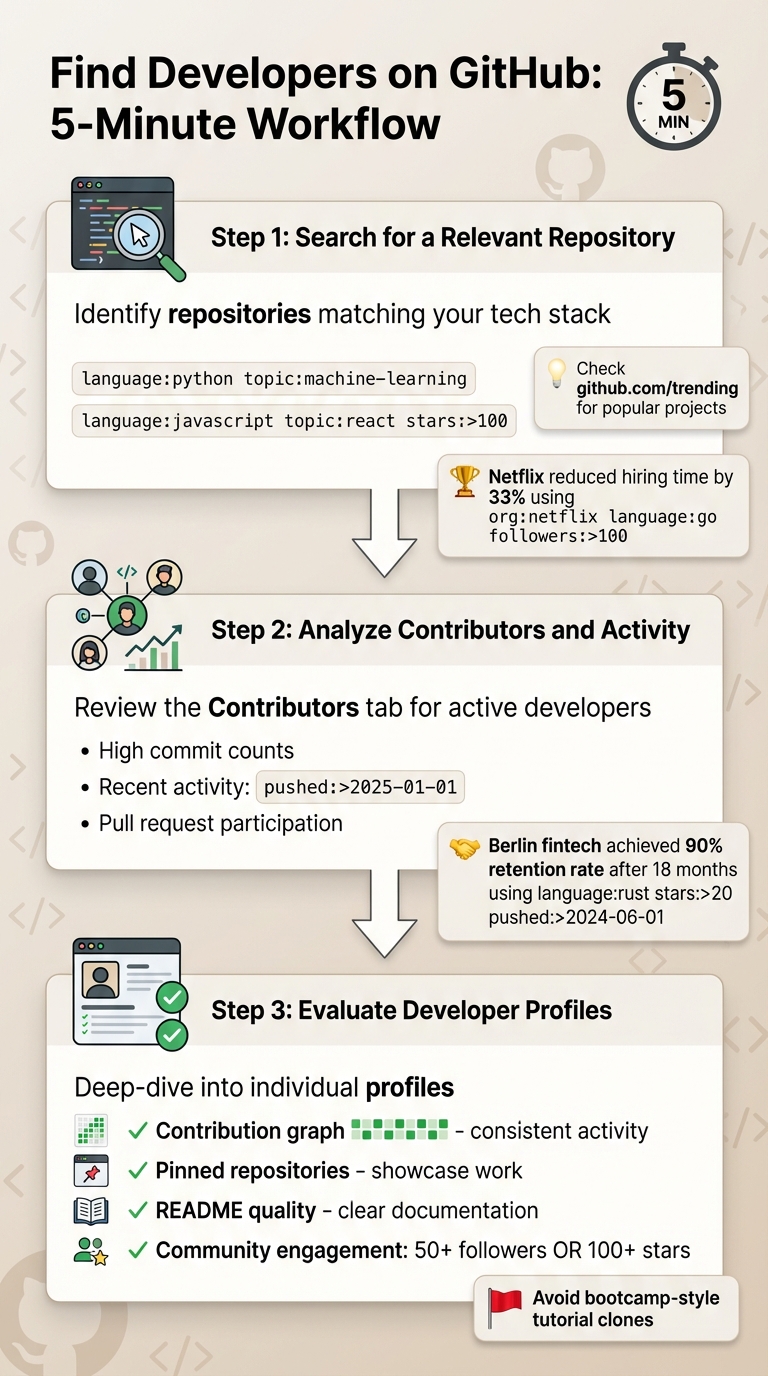 {5-Minute GitHub Developer Sourcing Workflow: 3 Steps to Find Qualified Candidates}
Finding developers on GitHub doesn’t have to be a time-consuming process. With this three-step workflow, you can locate qualified candidates for outreach in just five minutes. It’s a straightforward approach that fits seamlessly into broader sourcing strategies.
Step 1: Search for a Relevant Repository
Start by identifying repositories that align with your tech stack. Use search operators like language:python topic:machine-learning to find projects relevant to your needs. For example, if you’re looking for a React developer, try language:javascript topic:react stars:>100 to discover well-maintained projects that have community approval.
You can also check out github.com/trending to see what’s currently popular. If you’re targeting developers from specific organizations, use the org operator, such as org:airbnb, to explore public repositories from companies known for their engineering talent. A great example: Netflix once used org:netflix language:go followers:>100 to identify top Go developers, reducing their time to hire in tech by 33% .
Once you’ve found a repository that looks promising, it’s time to dig into the contributors.
Step 2: Analyze Contributors and Activity
Head to the "Contributors" tab to see who’s actively involved in the project. Focus on contributors with a high number of commits, as they’re likely driving the development rather than making minor edits.
To ensure you’re targeting active developers, filter for recent activity using the pushed:>2025-01-01 operator. For instance, a fintech startup in Berlin used language:rust stars:>20 pushed:>2024-06-01 to assemble their engineering team in just eight weeks, achieving a 90% retention rate after 18 months .
Don’t skip the "Pull Requests" tab - it’s a goldmine for understanding how candidates approach code changes and respond to feedback. This step helps you gauge their collaboration and communication skills.
Step 3: Evaluate Developer Profiles
Finally, review individual profiles for a deeper understanding of their work. Check their contribution graph (those green squares) to confirm consistent and recent activity. Their pinned repositories often showcase the projects they’re most proud of - take a close look here.
Pay attention to the quality of their README files. Clear documentation and setup instructions signal a developer who’s both skilled and capable of explaining complex ideas. Be cautious of profiles filled with bootcamp-style projects, like tutorial clones or basic follow-alongs . Instead, prioritize profiles with strong community engagement - look for over 50 followers or projects with 100+ stars .
Hiring engineers?
Connect with developers where they actually hang out. No cold outreach, just real conversations.
GitHub Advanced Search Operators for Recruiters
GitHub's search tools are incredibly powerful, yet many recruiters don't fully tap into their potential. Knowing the right advanced operators can be the difference between finding a handful of candidates and uncovering a wealth of qualified developers. These operators act like filters - combine them, and you can zero in on the exact type of developer you're looking for.
Some of the most useful operators include language:, location:, followers:, pushed:, and topic:. For instance, using language:python location:berlin followers:10..50 can help you identify mid-level Python developers in Berlin who are actively engaged in the community. The pushed:>2025-01-01 operator is particularly handy for filtering candidates based on recent activity, ensuring you're looking at developers with up-to-date contributions.
A 2025 Beamery study found that 83% of technical hiring managers trust GitHub profiles more than traditional resumes . Why? GitHub profiles showcase live contributions, offering a clear view of a developer's skills. For example, combining operators like language:rust (web3 OR blockchain) stars:>20 allows you to pinpoint Rust developers who are active in blockchain projects and have community recognition.
To go even deeper, complement GitHub's search with Google X-Ray. This approach can uncover profiles with rich README portfolios that GitHub's native search might miss. Try running a query like:site:github.com "python developer" "portfolio" location:london
on Google to find candidates who could otherwise slip through the cracks . Together, GitHub's operators and Google X-Ray searches can help you build a more tailored and effective sourcing strategy.
15 Copy-Paste Search Queries
Here are 15 pre-made search queries you can use directly in GitHub's search bar. Each one is designed to target a specific type of developer based on common hiring needs:
| Target Candidate | Search Query |
|---|---|
| Python ML Experts | language:python topic:machine-learning stars:>50 |
| Active Go Backend | language:go "backend" pushed:>2025-01-01 |
| React Native (Influential) | "react native" language:javascript followers:>100 |
| Rust Web3/Blockchain | language:rust (web3 OR blockchain) |
| DevOps (Infrastructure) | "devops" (terraform OR kubernetes) stars:>100 |
| Full Stack TypeScript | language:typescript "full stack" (node OR nextjs) |
| iOS Swift (Recent) | language:swift pushed:>2025-07-01 |
| Android/Kotlin Senior | ("android" OR kotlin) "senior" contributors:>10 |
| Distributed Systems | language:elixir "distributed systems" |
| Security/Pen-Testing | "security researcher" language:python (metasploit OR burp) |
| Game Dev (Unity/Unreal) | language:unity OR language:unreal-engine |
| Quant C++ Devs | language:c++ "quantitative" OR "quant" |
| Berlin Python (Mid-tier) | language:python location:berlin followers:10..50 |
| London JavaScript | site:github.com "javascript" location:london |
| Specific Org Talent | org:google language:typescript followers:>50 |
After running your search, click the "Users" tab to view individual profiles. To find fresh talent, filter by "Most recently joined", which helps you avoid candidates who have been over-contacted. Pairing these queries with technical hiring tools can streamline your sourcing efforts even further.
GitHub vs. GitLab: Sourcing Comparison
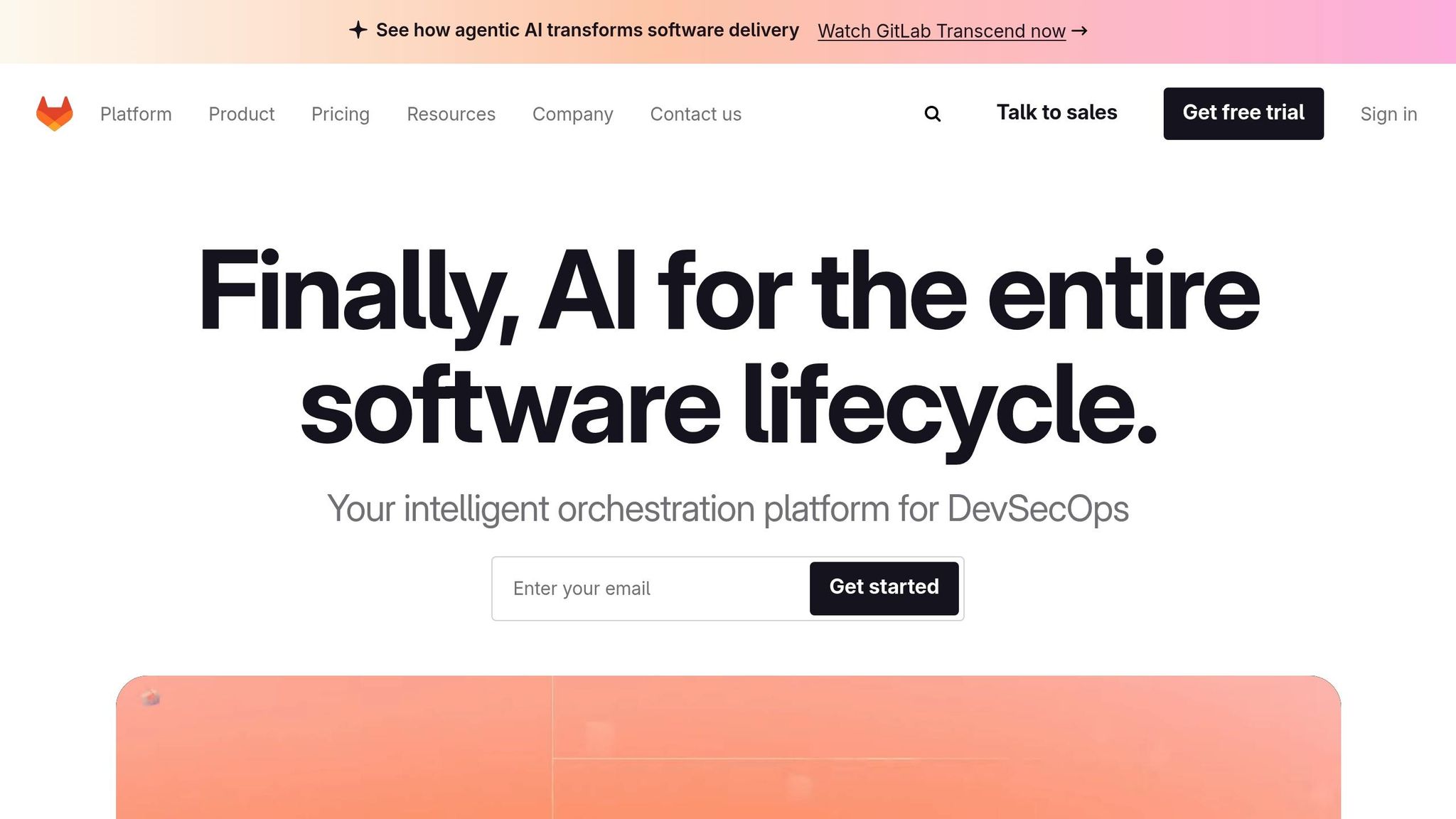
To refine your sourcing strategy, it helps to understand the differences between GitHub and GitLab. While both platforms host talented developers, their focus and user bases differ. GitHub is ideal for open-source contributors and community leaders, while GitLab often attracts developers working on DevOps and enterprise CI/CD pipelines.
| Feature | GitHub | GitLab |
|---|---|---|
| User Base | 100M+ (Largest community) | Smaller, often enterprise-focused |
| Sourcing Signal | Public contribution graph (green squares) | Contribution activity available but less "social" |
| Social Metrics | Stars, Followers, Forks are primary signals | Stars and Forks exist; follower culture is weaker |
| Searchability | Highly indexed by Google (X-Ray friendly) | Often used for private/internal repos; less public data |
| Recruiter Utility | Best for open-source & community leaders | Best for finding developers in specific DevOps workflows |
For roles requiring strong open-source contributions or community engagement, GitHub is your go-to platform. However, if you're hiring for positions focused on infrastructure automation or internal tooling, GitLab can serve as a valuable complementary resource. Many developers maintain profiles on both platforms, so cross-referencing can give you a more complete picture of their technical expertise. For more on leveraging GitLab, check out GitLab's hiring ecosystem.
Finding Developers Through Topics and Repositories
Exploring trending repositories and topics on GitHub is a great way to uncover active developer communities. These resources showcase developers who are not only engaged with current technologies but also demonstrate their problem-solving skills through real-world contributions.
Using Trending Repositories and Topics
GitHub's Trending page is updated daily and highlights repositories gaining momentum across various programming languages and timeframes. By filtering for specific languages like Rust, Go, Python, or TypeScript, you can focus on developers working within your preferred tech stack. These trending projects often attract talented contributors, making them a goldmine for sourcing.
Once you've identified a trending repository, take a closer look at the contributor list. Don’t just focus on the repository owner - check for developers who are actively submitting pull requests or participating in issue discussions. These activities showcase their ability to collaborate on complex codebases and solve practical challenges. Using a structured developer hiring checklist can help you systematically track these signals during your search.
For a more targeted approach, consider topic-based sourcing. Using the topic: operator, you can search for repositories tagged with specific technologies. For example, searching topic:machine-learning or topic:web3 helps you find machine learning experts and other specialists in those domains. Pair this with activity filters like pushed:>2025-01-01 to zero in on developers who are currently active.
When evaluating contributors, community validation signals can provide additional insights. For instance, repositories with over 100 stars indicate solid community interest, while those with 1,000+ stars suggest significant visibility. Developers who fork repositories and contribute meaningful commits exhibit hands-on engagement, a strong indicator of practical expertise.
Sourcing from Organizations
Organization pages on GitHub offer another way to discover skilled developers. These pages, maintained by companies like Netflix, Airbnb, or Google, often feature a "Top languages" section, which reveals the company’s primary tech stack. For example, Airbnb’s profile highlights JavaScript, making it a great place to find JavaScript specialists.
The "People" tab on an organization’s page lists members and trusted collaborators. While not all listed individuals are current employees, their ability to commit code suggests a high level of trust and expertise. Use your browser’s search function (Ctrl+F) to filter by location, such as "San Francisco" or "London", to find talent in specific areas. For deeper insights, explore the contributor lists on the organization’s most active repositories, as these often showcase developers handling enterprise-level challenges.
How to Evaluate a GitHub Profile
Once you've identified a promising developer, it's time to dig deeper into their GitHub profile to assess their technical skills, collaboration style, and consistency. GitHub profiles offer a level of transparency that traditional resumes often lack. In fact, 83% of technical hiring managers find GitHub profiles more dependable than resumes . The following checklist provides a structured way to evaluate both technical expertise and community involvement.
Profile Metrics That Matter
After an initial scan of a developer's profile, a more detailed evaluation can confirm their coding abilities and teamwork skills. Start by analyzing the contribution graph, which visualizes a year's worth of activity as green squares. Consistent activity over the past 90 days is a good sign - it shows the developer is actively coding and staying sharp. Dive deeper into specific days to ensure the activity includes meaningful commits or pull requests, not just superficial actions like starring repositories.
Next, review the repositories section. Pay close attention to original projects (labeled as "Sources") rather than copied ones ("Forks"). Pinned repositories often highlight the developer's most significant work, showcasing their long-term commitment and technical expertise. Examine the code for clarity, including meaningful variable names, proper error handling, and test coverage. A well-written README with setup instructions and architectural details reflects strong documentation skills and a willingness to make their work accessible to others.
Metrics like stars and followers can provide insight into peer recognition. Projects with 100+ stars are generally considered solid, while those with 1,000+ stars indicate high-impact work . For followers, a count of 50+ suggests the developer has earned respect from their peers . Interestingly, developers with 10 or more starred repositories are four times more likely to receive interview invitations .
Don't overlook commit messages, as they can reveal a lot about a developer's professionalism. Look for messages that explain the reasoning behind changes (e.g., "Refactored authentication to prevent race conditions in concurrent sessions"). Avoid profiles with vague messages like "fixed stuff", which suggest a lack of attention to detail.
Finally, shift your focus to how the developer engages with the community, as this can provide valuable insights into their teamwork and communication skills.
Evaluating Code Quality and Community Engagement
Pull requests (PRs) are a great way to assess collaboration and how a developer handles feedback. Check if their PR descriptions clearly outline the changes made. Also, observe how they respond to comments - this can reveal their ability to work constructively with others. At Facebook, developers with successful PRs in three or more repositories performed 40% better in professional reviews than those with fewer external contributions .
The Issues tab is another key area to examine. Does the developer report bugs with clear summaries, reproduction steps, and potential solutions? Or do they provide vague or unhelpful comments? A thoughtful approach to issue reporting signals strong problem-solving and communication skills.
Contributions to major open-source projects like Django, React, or Kubernetes are particularly noteworthy. These contributions demonstrate the ability to work within complex codebases and adhere to established standards. Teams that hire developers with consistent GitHub activity (defined as 3+ weekly commits) report 68% higher retention rates .
Be cautious of repositories that feature basic projects like to-do apps or simple website clones - these are often beginner exercises and don't showcase advanced problem-solving. Instead, prioritize repositories that demonstrate architectural thinking, technical depth, and practical applications.
How to Contact Developers on GitHub
Once you've evaluated a developer's profile, the next step is reaching out - and it's important to do so thoughtfully. GitHub is a platform for collaboration, not a job board, so any outreach should reflect genuine interest in the developer's work. Take note if their profile indicates they are "hireable" or includes a hiring status, as this can guide your approach.
Outreach that is personalized to a developer's specific contributions can lead to much higher response rates. For instance, messages that reference a specific commit or pull request have been shown to increase response rates to 60% . A great example comes from Codility, whose recruiting team achieved a 30% response rate by tailoring their outreach and involving hiring managers in crafting messages, adding a layer of technical credibility . Developers are far more likely to respond to peers in the field than to generic recruiting messages.
Finding Public Contact Information
Many developers include their email addresses in their GitHub bios or profile settings, though these may only be visible if you're logged in . If an email isn't readily available, you can add ".patch" to a commit URL to access metadata that often includes email addresses . Another option is to search for the developer's username or real name on LinkedIn, Twitter, or personal websites linked in their bio to find alternative ways to connect .
GitHub Discussions provide another route for engaging developers. You can participate in ongoing conversations and build rapport before transitioning to direct outreach . However, avoid using GitHub Issues or pull request comments for unsolicited messages, as this can come across as spammy and may harm your reputation . Instead, take smaller steps to establish a connection, such as starring their repositories or leaving thoughtful comments on their code, before reaching out directly .
Writing Personalized Outreach Messages
When crafting your message, show that you've taken the time to review their work. Reference specific repositories, technical solutions, or pull requests. For example, you might say, "I was impressed by your work on the caching layer in PR #247" . Be clear about who you are, how you discovered their profile, why their work stands out, and how it aligns with your opportunity. Including a brief mention of a technical challenge your team is working on can also pique interest .
"When I receive a recruiter message that says the recruiter and the team have looked at my profile and my projects, then chose to contact me because there's good match potential, it can be a great way to connect. I welcome these kind of contacts." - Joel Parker Henderson
End your message with a low-pressure call to action, such as, "Would you be open to a 15-minute chat about our technical roadmap?" . To further build trust, consider linking to your company's developers or their GitHub profiles to highlight your engineering culture . Where possible, have a hiring manager or senior engineer send the initial message - developers are more likely to respond to technical peers than recruiters . Always respect privacy settings, include an opt-out option in your message, and follow data protection laws like GDPR to ensure compliance .
Using the GitHub API for Programmatic Sourcing
When you're tasked with sourcing dozens - or even hundreds - of developers, manually browsing profiles quickly becomes unmanageable. The GitHub API offers a way to automate this process, enabling you to pull data on contributors, activity levels, and technical skills at scale. Instead of reviewing profiles one by one, you can query thousands of developers in minutes and filter them based on specific criteria like recent commits, programming languages, or their influence within the community. This automation not only saves time but also provides a foundation for deeper, data-driven insights.
The API is particularly useful for bulk analysis, allowing you to gather metrics like star counts, fork activity, and commit histories to pinpoint top talent. It even automates email extraction from commit metadata, which can speed up the candidate identification process . While many developers don't list their email addresses on their GitHub profiles, their commit metadata often contains this information. A handy trick is to append .patch to a commit URL, which reveals the author's email in plain text .
REST and GraphQL Query Examples
GitHub provides two API options: REST for straightforward searches and GraphQL for more complex, nested queries. REST is great for simpler tasks, while GraphQL allows you to fetch specific data points in a single call, such as email addresses from recent commits .
Here are some key API qualifiers you can use in your queries for precise filtering:
| API Qualifier | Purpose | Example Query |
|---|---|---|
language: |
Filter by primary coding language | language:typescript |
location: |
Narrow by geographic region | location:"San Francisco" |
followers: |
Filter by community influence | followers:50..500 |
pushed: |
Identify recent activity | pushed:>2025-01-01 |
stars: |
Find repositories with validation | stars:>100 |
topic: |
Target specific domains | topic:kubernetes |
For example, a fintech startup in Berlin used the query language:rust stars:>20 pushed:>2024-06-01 to find active Rust contributors who had community-validated work. This approach helped them build an entire engineering team in just eight weeks. Even more impressively, they achieved a 90% retention rate after 18 months . By focusing on recent activity (pushed:) and community validation (stars:), they ensured they were targeting skilled, engaged developers.
When automating your sourcing efforts, always include the pushed: parameter to avoid wasting time on inactive profiles . Filtering with followers:50..500 can help you focus on respected developers who may be more open to outreach . Just be mindful of GitHub's rate limits - too many API calls in a short time can lead to temporary IP blocks .
These programmatic techniques complement developer sourcing channels, creating a well-rounded strategy for identifying top developer talent.
Tools and Integrations for GitHub Sourcing
Taking manual and API-based strategies a step further, specialized tools can make GitHub sourcing faster and more efficient. These tools are designed to streamline the entire process, cutting down manual search time by 25–40 hours per week . AI-powered platforms can scan thousands of profiles within minutes, scoring candidates based on their tech stack, location, and activity level. By ranking candidates according to repository activity, these tools significantly reduce the effort needed to find top talent. Let’s dive into how daily.dev Recruiter and browser extensions can enhance your sourcing pipeline.
daily.dev Recruiter: Turning Cold Outreach into Warm Connections
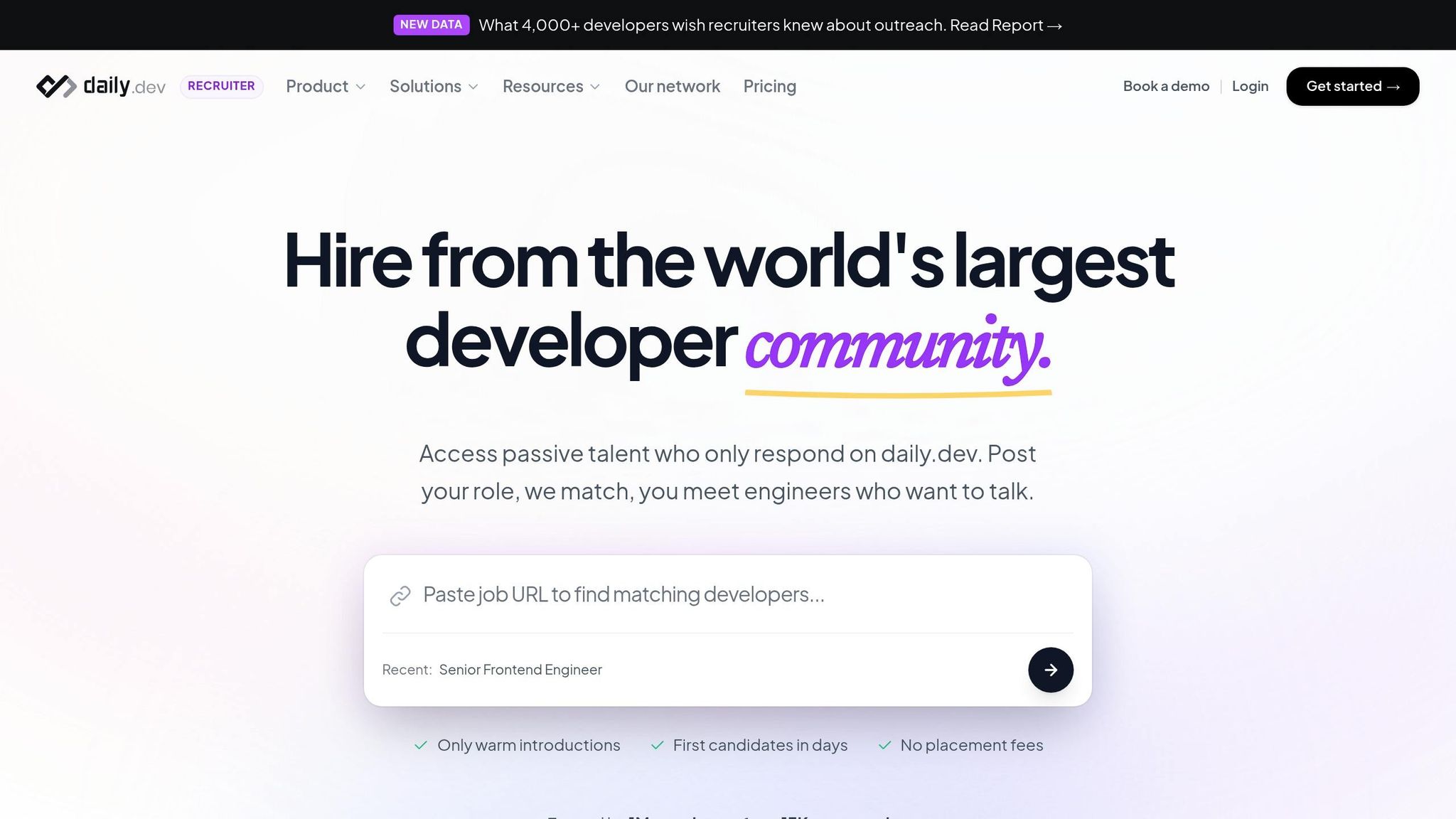
daily.dev Recruiter is a game-changer for sourcing developers. It shifts the dynamic from cold outreach to meaningful, warm introductions. Unlike GitHub’s usual approach, which often involves reaching out to developers who may not be actively looking, requiring strategies to find passive developers without spamming, this tool connects you to over 1 million developers who are already open to opportunities. It works by aligning with developers' natural habits - reading, learning, and contributing - and facilitates double opt-in introductions.
This approach doesn’t just make conversations easier; it leads to better outcomes. Teams hiring active GitHub contributors (those with 3+ weekly commits) report retention rates 68% higher than average . Plus, personalized outreach based on specific GitHub contributions can boost response rates by up to 5x . With daily.dev Recruiter, you’re not just sourcing talent - you’re building lasting relationships.
Browser Extensions and ATS Integrations
Browser extensions and ATS integrations can supercharge your GitHub sourcing efforts. For instance, the hireEZ Chrome Extension allows you to pull contact information and professional details directly from GitHub profiles into your ATS. Tools like Workable and hireEZ also offer seamless integration, providing filters for over 250 programming languages to help you target the right candidates.
Other tools, such as OctoHR and Fidforward, simplify the process by generating recruitment summaries and offering detailed insights into technical skills. To keep track of engagement, Kula AI provides analytics on response rates and supports automated outreach across platforms like email and LinkedIn. Together, these tools ensure your sourcing process is efficient, data-driven, and well-integrated into your recruitment system.
Case Study: Sourcing a Python Developer on GitHub
From Discovery to Hire
A Berlin-based fintech startup previously demonstrated the power of GitHub for talent acquisition by successfully building an engineering team of Rust developers in just eight weeks. They achieved this by using targeted GitHub search queries like language:rust stars:>20 pushed:>2024-06-01, identifying contributors with recent activity and strong community validation. Impressively, they maintained a 90% retention rate 18 months later . A similar strategy can be applied to find Python developers.
To start, use a search query such as language:python topic:django followers:>50 pushed:>2025-01-01 to zero in on active contributors in the Django ecosystem. Once you've identified a trending repository like django/django, navigate to the Contributors tab and sort by "Most recently joined." This approach helps uncover talented developers who may not yet be inundated with recruiter messages . It’s a practical way to quickly identify promising Python talent on GitHub.
When evaluating profiles, look for consistent activity (e.g., three or more commits weekly), original project contributions, and detailed commit messages that explain the reasoning behind changes. Avoid profiles with vague commit notes like "fixed issue." Developers who engage actively with the community stand out and often make stronger candidates for interviews . Once you’ve assessed a candidate’s work and activity, you can confidently move forward with personalized outreach.
To contact a developer, locate their public email address - either in their profile bio or by appending .patch to a commit URL, which reveals plain-text metadata, including email addresses . Craft a personalized message referencing a specific pull request or commit. For instance, Netflix’s talent team used this method and achieved a 33% faster time-to-hire and a 27% higher offer acceptance rate, hiring 15 senior engineers in just two months .
"I love the combination of GitHub/GitLab and skilled technical recruiters. When I receive a recruiter message that says the recruiter and the team have looked at my profile and my projects, then chose to contact me because there's good match potential, it can be a great way to connect." – Joel Parker Henderson, Developer
Personalized outreach, especially when tied to specific GitHub contributions, can yield 5x higher response rates compared to generic messages . Codility’s technical recruiting team found success by using co-authored outreach emails. These emails, with hiring managers referencing specific GitHub projects, consistently generated a 30% response rate from passive candidates . This data-driven approach underscores the effectiveness of using GitHub as a recruitment tool for sourcing top-tier Python developers.
Conclusion
GitHub serves as a dynamic portfolio, showcasing developers' real-world skills through their contributions - not just their claims. It’s no surprise that 83% of technical hiring managers view GitHub profiles as more reliable than traditional resumes . Mastering GitHub can also connect you with the 68% of elite engineers who are discovered through the platform, as highlighted by Stack Overflow surveys .
This guide outlined practical steps - from identifying developers to crafting personalized outreach - to help you build a strong talent pipeline. While GitHub sourcing delivers high-quality candidates, it can be time-intensive. For example, manually sourcing just 50 qualified developers can take anywhere from 25 to 40 hours . That’s where tools like daily.dev Recruiter come in. By combining GitHub’s technical insights - such as commit history, pull request quality, and code contributions - with warm, double opt-in introductions, you can streamline the process and scale your efforts.
Hiring active GitHub contributors (defined as those with 3+ weekly commits) has been linked to 68% higher retention rates, and personalizing your outreach by referencing specific repositories or pull requests can boost response rates by 5x compared to generic messages . The key is focusing on quality over quantity and tailoring your outreach to highlight candidates' real contributions.
To make implementation even easier, check out the GitHub Sourcing Cheat Sheet below. It includes 15 ready-to-use search queries, a profile evaluation checklist, and other tips to integrate these strategies into your daily workflow. Whether you’re building a Python team or hiring Rust developers, GitHub offers the evidence you need - and with the right tools, you can turn that evidence into meaningful conversations with top-tier talent.
GitHub Sourcing Cheat Sheet
Here’s a handy reference for sourcing talent on GitHub. It includes ready-to-use search queries, profile evaluation tips, and API examples to streamline your process with specialized sourcing tools.
Top 13 Search Queries (copy-paste ready)
| Target Candidate | Query |
|---|---|
| Python ML Experts | language:python "machine learning" OR "data scientist" stars:>50 |
| Active Go Backend | language:go OR "golang" "backend engineer" pushed:>2025-01-01 |
| High-Influence React | language:javascript location:"San Francisco" followers:>500 topic:react |
| Web3/Rust Devs | language:rust (web3 OR blockchain OR "smart contract") |
| DevOps/Infrastructure | "devops" (terraform OR kubernetes OR docker) stars:>100 |
| Python (India) | language:python location:India |
| React (New York) | language:javascript location:"New York" followers:>50 topic:react |
| Google X-Ray (Full Stack) | site:github.com (javascript OR mysql) "full stack developer" -jobs |
| Topic-Centric Search | topic:machine-learning location:London pushed:>2025-01-01 |
| Org-Specific Talent | org:google language:python followers:>50 |
| Combined Precision | language:python location:London topic:data-science pushed:>2025-06-01 |
| Elite Thresholds | language:javascript stars:>500 forks:>100 followers:>1000 |
| Google X-Ray (Senior) | site:github.com "senior software engineer" (react OR javascript) inurl:readme |
Profile Evaluation Checklist
Use this checklist to quickly assess GitHub profiles and identify strong candidates:
- Recent Activity: Check the contribution graph for consistent activity over the past 90 days rather than focusing solely on total contributions.
- Original Projects: Give preference to original repositories over forks. Original projects often reflect a developer’s ability to design and build solutions from scratch.
- Stars & Followers: Look for repositories with 100+ stars or profiles with 50+ followers, as these indicate community recognition.
- Quality Documentation: High-quality README files with clear instructions and architecture details are a strong positive.
- PR Contributions: Contributions to popular projects (e.g., Django or React) highlight collaboration and technical skills.
- Commit Messages: Descriptive commit messages (e.g., "Refactored data pipeline for scalability") show attention to detail and clarity, unlike vague entries like "fixed bug."
API Query Examples (REST)
Find Python Developers in London with 50+ Followers
GET https://api.github.com/search/users?q=language:python+location:london+followers:>50Fetch Commit Emails
GET https://api.github.com/repos/{owner}/{repo}/commits
(Extract email addresses from theauthororcommitterobjects.)Filter by Last Commit Date
Addpushed:>2025-01-01to any query.
Bookmark this cheat sheet for quick reference during your GitHub sourcing efforts! It’s designed to save you time while helping you zero in on the right talent. For a more direct approach, you can also tap into an active developer network to hire based on real-time learning behaviors.
FAQs
How can I find active developers on GitHub?
To spot active developers on GitHub, pay attention to profiles with recent activity. This includes things like commits, pull requests, or participation in issues. GitHub's advanced search operators can help - try using something like pushed:>2026-01-01 to narrow down results to those with recent contributions. Check for active contribution graphs, recent commit histories, and participation in trending repositories to focus on developers who are actively engaged rather than those with dormant profiles.
What GitHub signals best predict real senior-level skills?
Consistent, meaningful contributions to public repositories, well-thought-out pull requests, active engagement in issue discussions, and a track record of impactful work are some of the strongest GitHub signals for identifying senior-level skills. These factors showcase technical expertise, leadership qualities, and dedication to producing high-quality work.
How can I contact developers on GitHub without violating privacy rules?
Reaching out to developers on GitHub can be done ethically by using the public information they’ve shared, such as email addresses listed on their profiles, their involvement in discussions, or links they’ve provided for sponsorships. It’s crucial to respect privacy laws like GDPR and avoid methods that could be seen as intrusive or unauthorized.
When contacting them, show genuine interest by referencing specific projects or contributions that caught your attention. Keep your message relevant and avoid anything that could come across as spam. This approach not only respects their boundaries but also increases the chances of a positive response.
.png)


